
A clear view of your database.
Turn tables, columns and relationships into a design your whole team can understand. Built for your Mac, with your work saved locally.
macOS 12 or later · Apple Silicon
PK id uuid
name varchar
email varchar
PK id uuid
FK customer_id uuid
total decimal
From an idea to a shared understanding.
The schema, the details and the files you need. All in one workspace.
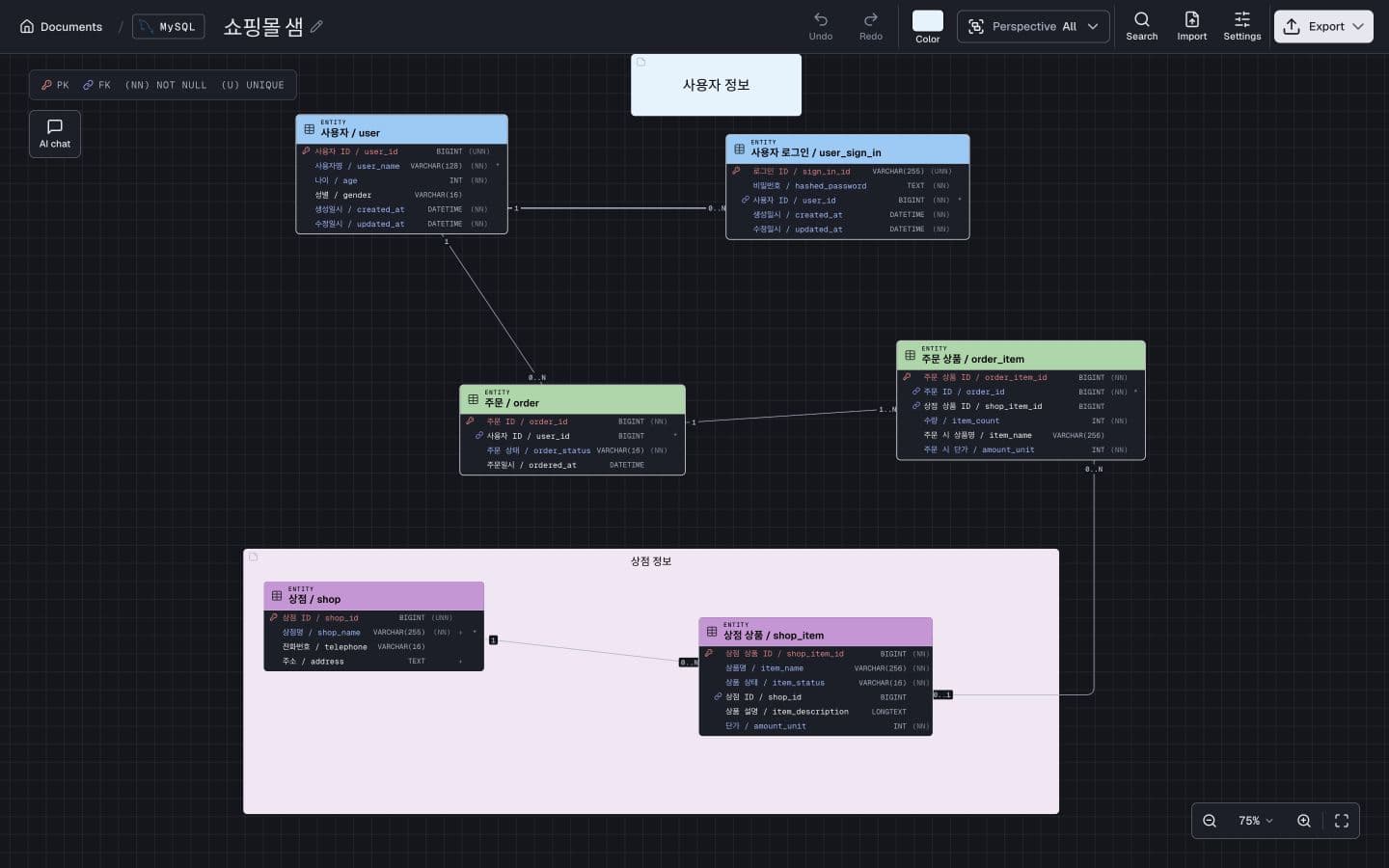
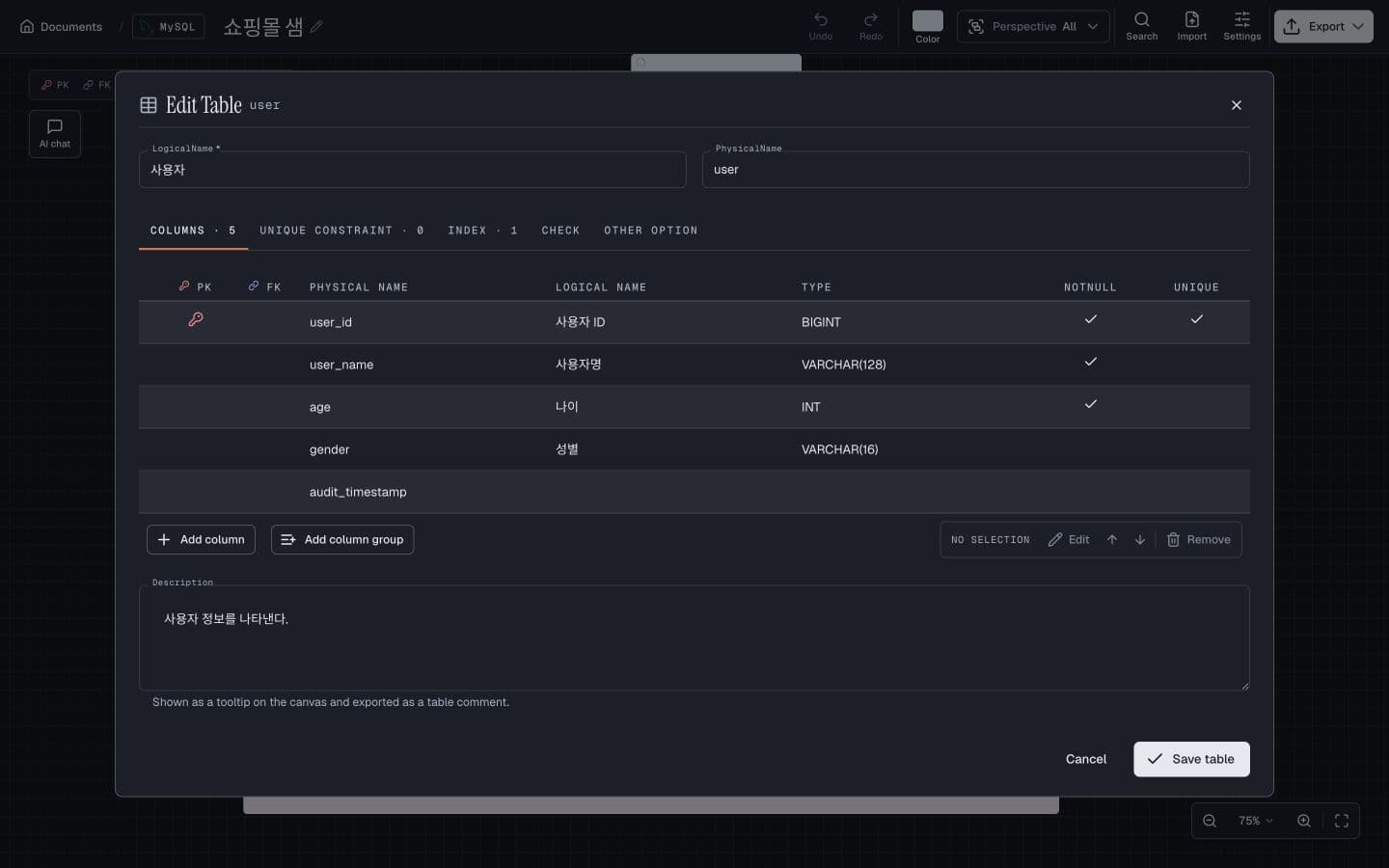
Your design starts on your Mac.
Open the app and start designing. No account needed for the core editor. Your documents stay in local storage, with ERD backups when you need them.
- Tables, keys, indexes and constraints
- Notes, colors and focused diagram views
- Undo and redo as your design evolves
Explain the change. See it take shape.
Ask AI to add a table, rename a column or change a relationship. Use your own provider and review the result in the same canvas.
Optional AI uses your API key. Prompts and schema context are sent to your selected provider; API charges may apply.
Add a shipping address to orders.
+ shipping_address varcharOne host. A team on the same page.
Share a diagram over your trusted local network. Teammates can follow changes and chat while you edit. They can export a copy and make it their own.
Viewers are read-only. Sharing does not enable simultaneous editing of the original.
Fits into your database workflow.
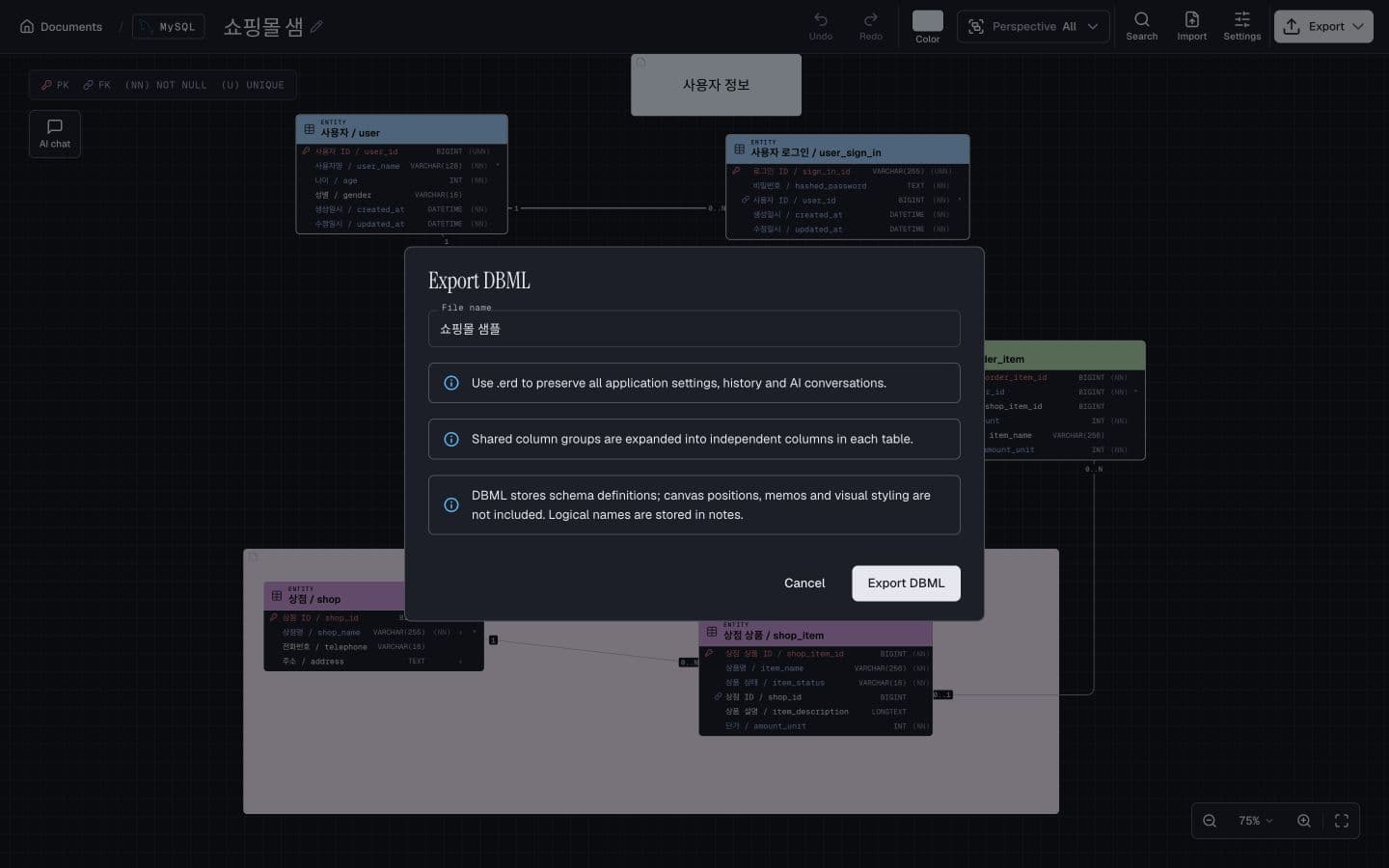
Bring an existing schema, work visually, then take it with you.
| Format | Import & export | Good to know |
|---|---|---|
| .sql | Database DDL | Seven SQL dialects. Optional AI import repair. |
| .dbml | Schema exchange | Portable definitions. Optional AI import repair. |
| .erm | ERMaster XML | MySQL, PostgreSQL, SQL Server and SQLite. |
| .erd | Complete document | The recommended format for full backups. |
Other formats preserve different parts of a document. The app explains conversion limits before export.
A few things worth knowing.
Does the app need an account?
No. Core diagram editing and local storage work without signing in. Optional AI needs your own provider API account.
Can teammates edit the same document?
The host edits the original. LAN viewers can follow changes, chat and export a copy to edit in their own app.
Which databases are supported?
SQL import and export support MySQL, PostgreSQL, Oracle, SQL Server, SQLite, BigQuery and Snowflake. Format coverage varies; ERM supports four database types.
Is AI required?
No. You can create, edit, import and export diagrams without AI. AI editing and SQL/DBML import repair are optional.
Make room for a better schema.
A focused workspace for the relationships behind your next idea.